Obby: Crazy Cart




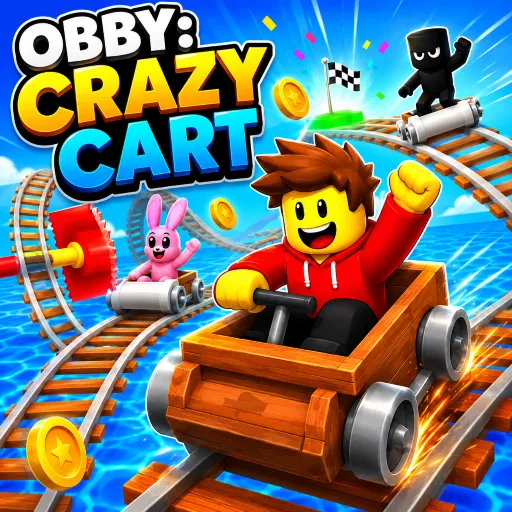
Race along twisting sky-high rails and conquer daring parkour challenges in Obby: Crazy Cart. Play now and become the ultimate obstacle master!
Obby: Crazy Cart – Conquer Parkour and Wild Minecart Races
Obby: Crazy Cart is an arcade game that blends obstacle-course parkour with thrilling, high-speed minecart racing. You will run, jump, and dash through colorful worlds before zooming along tracks suspended in the sky. Each level brings fresh challenges where your reflexes, precision, and speed control determine whether you reach the finish line. Embark on the adventure, overcome every obstacle, and conquer every sky-high track!
Gameplay
Unlike traditional obby games that focus solely on jumping over obstacles, Obby: Crazy Cart constantly shifts the pace between two distinct playstyles. One moment you are carefully navigating floating platforms; the next, you are hurtling along winding aerial rails in a minecart.
The journey in Obby: Crazy Cart is never repetitive. Moving traps, narrow platforms, sudden drops, and perilous gaps appear constantly, forcing you to adapt and make split-second decisions. Whether you are executing precise jumps or steering a minecart at high speed, every challenge demands absolute focus.
Conquering Parkour Levels
Many areas in Obby: Crazy Cart will put your parkour skills to the test. Run across floating platforms, dodge traps, clear gaps, and time your jumps to perfection. Even the slightest mistake could send your character plummeting off the track, forcing you to start over. Collect
Coins and Unlock Outfits
Throughout your journey in Obby: Crazy Cart, you will encounter many coins scattered across the levels. Collect them to unlock exciting cosmetic items, such as unique hats, new character outfits, and stylish personalized looks. While purely aesthetic, these items help your character stand out and mark the milestones you have conquered.
Controls Guide
- W / A / S / D – Move.
- Space – Jump.
- E – Get in the cart.
- Tab – Lock or unlock the mouse cursor.
- Mouse – Rotate camera view.
More Games