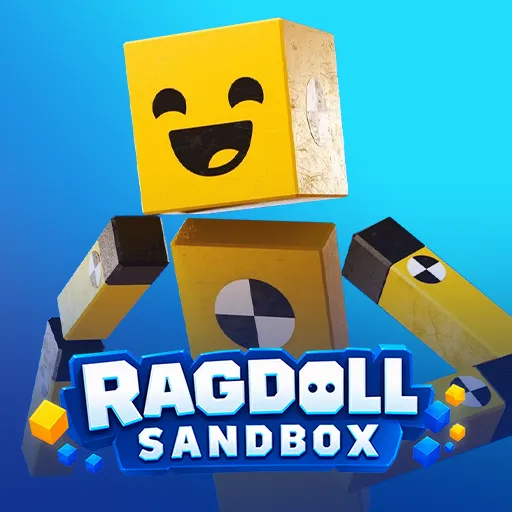
Ragdoll Sandbox








Ragdoll Sandbox lets you build, crash, and experiment freely. Place vehicles, hazards, and ragdolls to create hilarious physics-based challenges.
Ragdoll Sandbox – Create, Crash, and Experiment
Ragdoll Sandbox is a 3D physics playground where you aren't bound by a fixed storyline. Instead, you create your own world, place objects, control ragdolls, and explore to your heart's content. From unexpected collisions to unpredictable, chaotic scenarios, every experiment can yield a different outcome. Ready to build a playground that breaks the mold?
What Is Ragdoll Sandbox?
Ragdoll Sandbox is a physics-based sandbox game focused on creativity and experimentation. You are free to explore the 3D environment, build levels, or switch to ragdoll mode to let physics dictate the results. There are no mandatory mission lists or single paths to completion; your own ideas are what turn every session into a unique experience.
How to Play
Start Ragdoll Sandbox with a small area and add objects one by one. This helps you understand how objects collide and react before creating more complex scenarios. Beyond free-form building, you can create mini-challenges—such as reaching a specific point, overcoming obstacles, or surviving a gauntlet of hazards.
Build Your Own Scene
Press Tab to open Build Mode in Ragdoll Sandbox, then press F to access the object menu. You can add ragdolls, vehicles, obstacles, and various other elements to the environment. Try adjusting the distance, position, or angle of each object; even a small change can lead to a completely different outcome.
When you want to see how the ragdoll reacts, press R to switch to ragdoll mode or respawn. Then, watch the falls, collisions, bounces, and unexpected situations generated by the physics engine.
Vehicles and Interactive Objects
Vehicles, barriers, lasers, and hazardous objects can be combined to create various challenges. Experiment with positioning and spacing to discover the most entertaining interactions.
Game Controls
- WASD: Move.
- Mouse: Look around and interact.
- R: Ragdoll mode or respawn.
- Tab: Open Build Mode.
- F: Open object menu.
More Games