Flip Physics










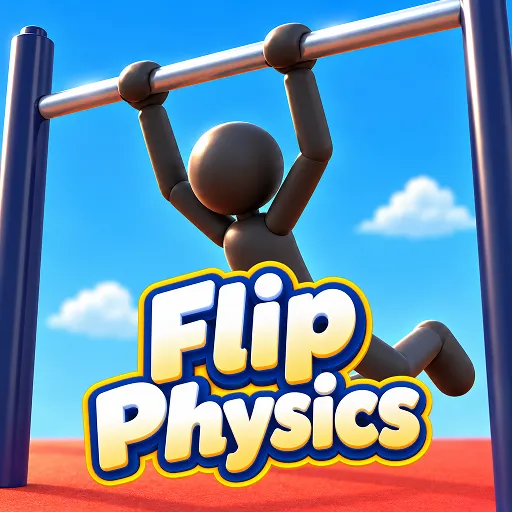
Can you nail the perfect backflip in Flip Physics? Adjust your ragdoll's pose, build momentum, grab the next bar, and master every tricky landing.
Flip Physics – Master the Art of the Perfect Backflip
Flip Physics is a 3D physics-based sports game where you control an athlete performing challenging acrobatic stunts. Build momentum on a horizontal bar, launch yourself into the air, and execute spectacular flips. In this game, timing your jump and controlling your character’s body are the keys to conquering every challenge.
Gameplay
A successful stunt in Flip Physics begins with generating enough swinging force. Observe your character’s movement, build up momentum, and choose the perfect moment to launch into the air. Jumping too early or too late could cost you the chance to pull off a flawless performance.
The ragdoll physics engine creates fluid—and sometimes unpredictable—movements. You must adjust your character’s pose to control rotation speed, execute front or backflips, and maintain balance in preparation for landing.
Keep the Momentum Going
In Flip Physics, you aren’t just performing stunts; you must also calculate your trajectory to reach the next bar. A precise move allows you to continue your sequence, while a single small mistake could bring your entire run to an end.
Executing Flips
Start by building a swinging motion on the bar. Pay close attention to the rhythm of the movement and harness that momentum to set up your next jump. Mastering this phase will give you the best chance to pull off successful acrobatic feats. When the character leaves the bar, adjust their posture to control the direction and speed of rotation. You can try various acrobatic moves, but avoid over-rotating, as this makes landing difficult.
Timing the Landing
A safe landing requires coordinating speed, rotation angle, and body posture. Observe the character's position in mid-air and adjust their movement before touching the ground. With practice, it becomes easier to recognize the right moment to complete the jump.
How to Control
- Spacebar or Left Mouse Button: Start or perform an action.
- Arrow keys or WASD: Adjust movement and character posture.
- J, K, L, I keys: Control posture (in supported versions).
- Q/W keys: Perform a rotation/flip (in some versions).
- R key: Restart the level (if supported).
Related Games