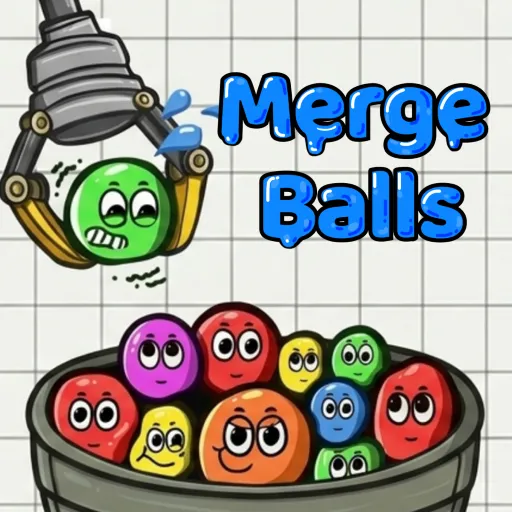
Merge Balls






Merge Balls transforms simple color matching into a clever physics-based puzzle. Drop each ball with care, and keep your ever-growing pile under control.
Merge Balls – Match, Merge, and Beat Your High Score
Drop balls, create exciting collisions, and merge them into larger ones in Merge Balls—a casual puzzle game driven by physics mechanics. Release colorful balls into a container, match two of the same color to form a larger ball, and rack up points with every successful merge. Think ahead before every move, set off chain reactions, and see just how high a score you can achieve!
Gameplay
The core rule of Merge Balls is to combine two balls of the same type to create a larger one. When two identical balls touch, they automatically merge into a bigger ball, adding points to your total. Each successful merge earns you points and creates more space for future drops. The balls don’t just sit still; they bounce, roll, and push against each other with every drop. A poorly placed ball can disrupt your entire setup, while a well-calculated drop can trigger a series of unexpected, rewarding merges.
Limited Space
As the balls in Merge Balls grow larger, the container becomes increasingly crowded. You must strike a balance between making quick decisions and planning for the long term to avoid running out of space. Every drop counts—especially as the available room begins to shrink.
Chain Reactions
Look for opportunities to connect multiple balls of the same type with a single drop. A well-planned move can trigger a chain reaction of consecutive merges, boosting your score and freeing up valuable space for your next moves. Observe how each ball settles after it drops, and anticipate its impact on the surrounding balls. As the container becomes overcrowded, finding a safe spot to drop a ball becomes more challenging. Always leave enough space for future moves to keep the game going longer.
Controls Guide
- Move mouse: Select the drop position.
- Left-click: Drop the ball into the container.
- Touchscreen: Use touch gestures if the game version supports them.
More Games